
To make a rap video from a photo, choose a clear portrait you have permission to use, pick Solo or Duo, add a short topic and select a stage. Generate the performance, watch it with sound, then download the MP4. This tutorial follows the original photo-performance route; you do not need a finished song to begin.
See the kind of clip you are making
The public solo example below uses the first reference portrait. Both the image and the performance depict a fictional adult. This is an existing example, not a fresh generation made while writing this tutorial.
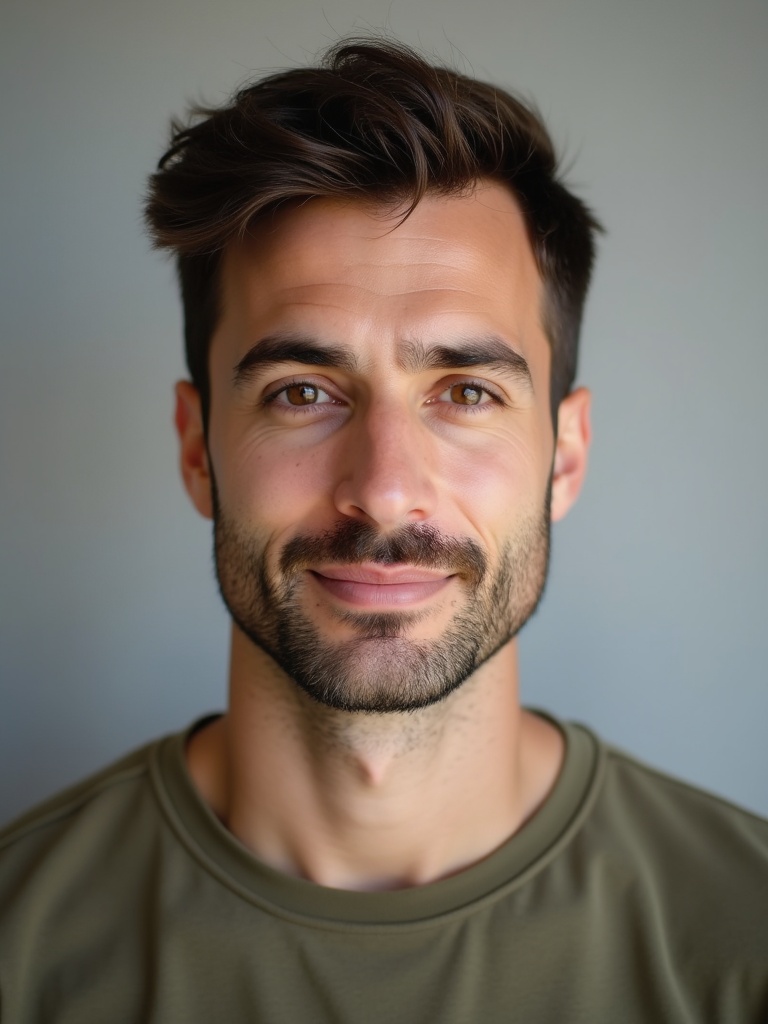
Listen to the rap and beat and watch the face through the whole eight-second clip. For a personal greeting, that short performance can be the finished piece. If your goal is to illustrate an entire recorded song, start with the workflow selection guide instead.
1. Prepare the photo and choose your performers
Open the creator. Choose Solo for one person or Duo for two. For a first solo clip, use an adult portrait with a visible face, a clear mouth and enough detail to recognize the person. Avoid sunglasses, hands across the face and a small face in a group shot. Confirm you have permission to transform the person's likeness.
Upload the photo in the portrait field and check the preview. For a duo, use a separate portrait for each person. If you only have a side-by-side shared photo, the duo guide explains how to prepare and inspect both crops. Do not force a crowded or overlapping composition into two poor references.
The photo checklist covers file preparation and input checks in more detail.
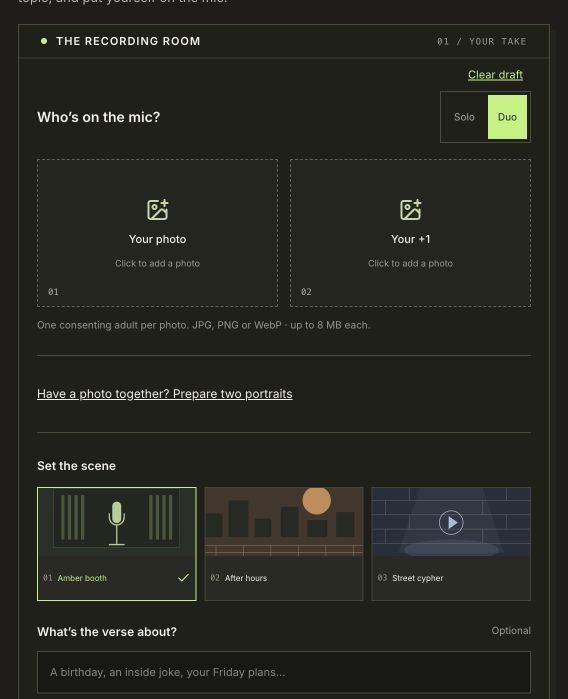
The live creator shows performer count, portrait fields and stage choices. This screenshot has Duo selected; choose Solo for a one-photo clip.
2. Give the rap one subject
Use a short description of the moment and mood. For example:
A friend celebrating a first 5K finish, proud and upbeat.
That gives the performance a single idea. A list of unrelated hobbies, names and instructions is harder to judge afterwards because there is no clear main subject. Avoid sensitive personal details or a joke the person would not want shared.
The topic is a creative direction for original music. It is not a promise that each word will be sung verbatim. If you want a birthday greeting, try one friendly detail from the birthday recipe. For two friends, describe one shared experience rather than assigning conflicting stories to each person.
Choose the English or Chinese site language before submitting so that the rap uses your intended language.
3. Choose a stage and review your draft
Select the setting you want: an amber booth for a close performance, Street cypher for a street setting, or After hours for a rooftop scene. Stage illustrations communicate the setting; the playable examples show actual generated performances.
Before submitting, check four things:
- The Solo or Duo choice matches the people you want in the clip.
- Each portrait preview shows the intended person clearly.
- The topic has one subject and the desired mood.
- The language and stage suit the recipient or audience.
Current clips are eight-second portrait MP4s with original rap and a beat. Each video uses 10 credits. Check the current packs and available balance before starting, especially if you plan to make more than one take.
4. Generate once and follow the same task
Confirm photo permission and submit. Follow the accepted task's progress or reopen it in your private video history. If the connection drops, check the existing task before starting a second request. A status-query error does not by itself mean the generation failed.
If the page offers recovery for an uncertain submission, use that recovery action rather than repeatedly opening new tabs and submitting. When a job is confirmed failed, use its stated failure/refund path. A job that is still processing should be followed through its existing entry.
5. Play, review and download
Play the whole result with sound. Check the person's appearance, mouth movement, intended language and overall mood. Watch through the gestures rather than judging only the poster frame. AI-generated performances can vary, so review the output before sending it to someone else.
Download the MP4 from the result or history entry. Share the file through the recipient's preferred channel. Your private history address is an account page; copying it does not turn it into a public video link.
For another version, make a deliberate new draft and check your credits first. Keep one choice fixed while changing another—for example, retain the portrait and adjust only the topic—so you can tell what you changed without calling a single result a general quality rule.
Create your first photo rap video. Making a pair perform together? Start with the duo creator.